Environment variables
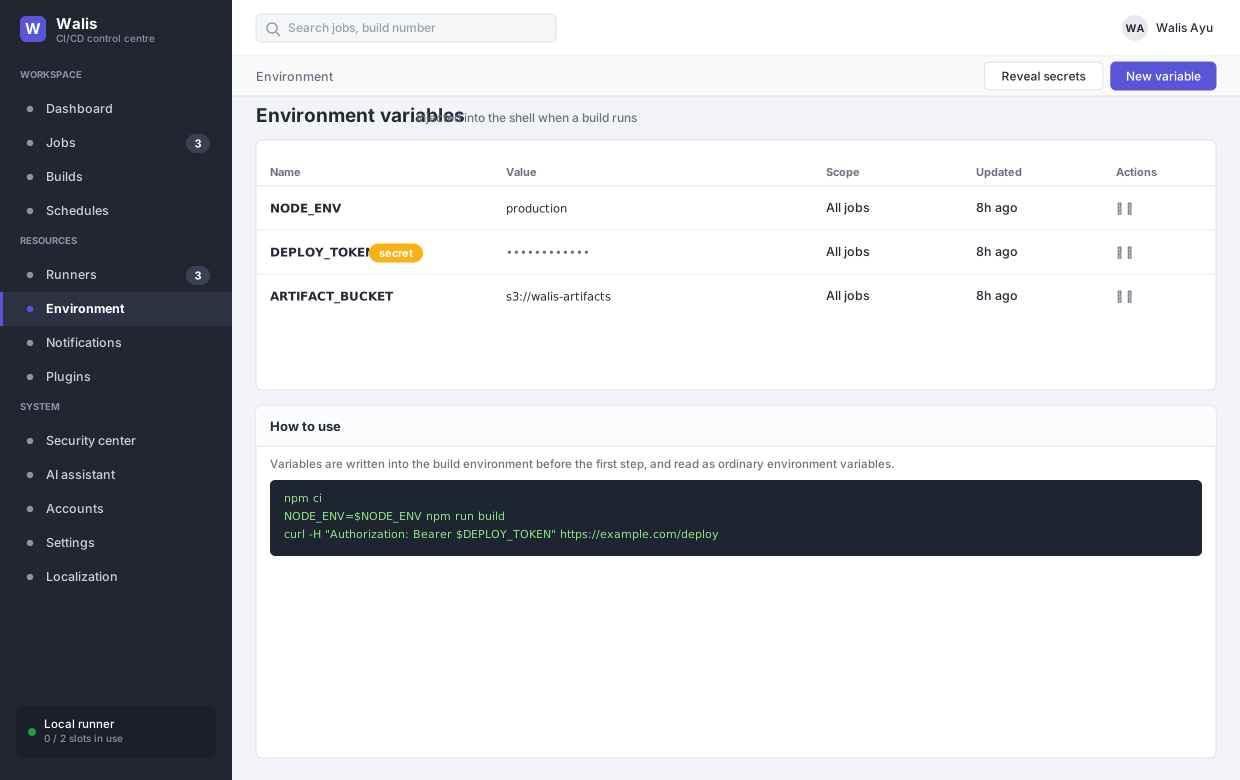
Values written into the build environment before the first step runs, read in scripts as ordinary environment variables:
npm ci
NODE_ENV=$NODE_ENV npm run build
curl -H "Authorization: Bearer $DEPLOY_TOKEN" https://example.com/deploy
Secrets
A variable can be marked secret. Then:
- The API masks it in responses by default. Only an explicit
?reveal=truereturns the value, and Reveal secrets in the toolbar is what triggers that. - Build output has the value replaced with
***, controlled by Mask secrets in build output in Settings → Security. Turning that off prints secrets verbatim into logs that are then kept for the retention period — there is rarely a good reason.
Masking is substring replacement on the output. A secret that your script transforms before printing — base64-encoding it, say — will not be caught.
Scope and precedence
Variables apply to builds. They are written before the first step, which means:
- Every step in the build sees them, because each step is a fresh shell seeded from the same table.
- A value a step writes to
$WALIS_ENV_FILEoverrides them for later steps in that build. See steps.
What a build does not see
The build environment is an allow-list, not the service's environment with the dangerous parts taken out. A build inherits PATH, USER, LOGNAME, SHELL, locale variables, temp directories and the TLS certificate variables — and nothing else.
So ConnectionStrings__* is not stripped from the build environment; it was never in it. The same goes for any other secret the service was started with. With build isolation on, a build could not read the database file either — the two defences are independent, and both stay on.